

Last week, someone asked me:
“Do I need a custom domain for my Substack?”
It’s a simple question.
However, underneath it is a much bigger one:
“What actually matters when you’re building a publication?”
I’ve seen creators spend weeks debating domains, logos, fonts, and branding before they’ve published a single article.
Meanwhile, other creators launch with a basic Substack URL and start building an audience immediately.
So let’s talk about custom domains.
What they are and when they matter.
And why most creators should worry about publishing before they worry about branding.
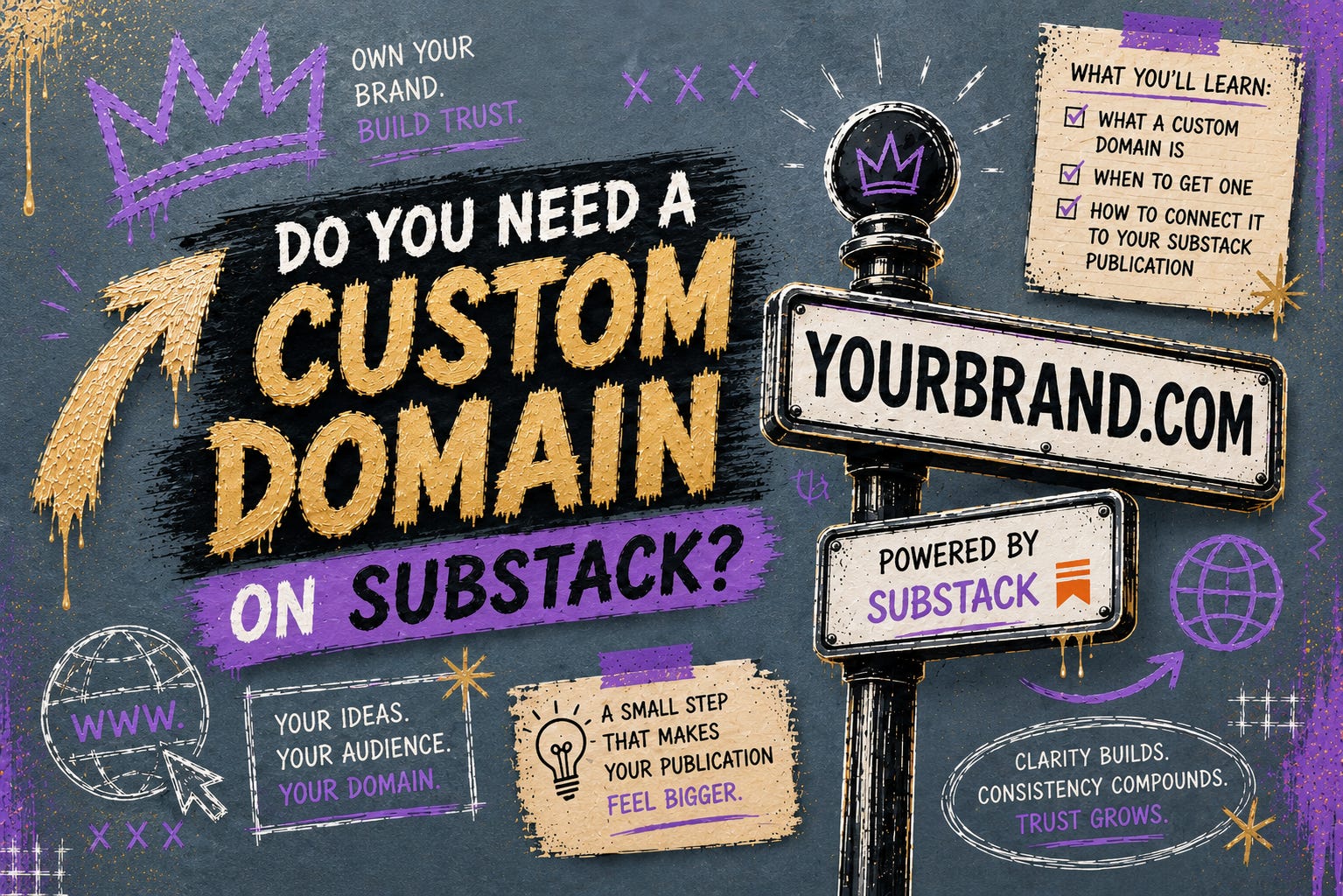
What Is A Custom Domain?
By default, every Substack publication gets a free Substack URL.
For example:

yourpublication.substack.com
That works perfectly well.
In fact, it’s how I recommend most creators start.
However, at some point, you may want something that feels more like your own brand.
That’s where a custom domain comes in.
Instead of:

yourpublication.substack.com
You can use:

yourpublication.com
or
A custom domain is simply your own website address connected to your Substack publication.
That’s it.
Nothing magical and nothing complicated.
Just your publication living on a domain you own.
Why Would Someone Want a Custom Domain?
For example, both Nurse in The Market and Unstuck to Published use custom domains because they are long-term brands, not just newsletters.
The biggest reason is branding.
When someone visits:
yourpublication.substack.com
they immediately know you’re using Substack.
When someone visits:
yourpublication.com
The focus shifts from the platform to your brand.
It feels more professional, more established, and more like a business than a profile.
For some creators, that matters.
Especially if they’re building a long-term brand around their publication.
Does A Custom Domain Help You Grow Faster?
No.
At least not directly.
A custom domain will not magically get you:
More subscribers
More views
More recommendations
More engagement
Growth still comes from publishing useful content consistently.
I see creators make this mistake all the time.
They assume growth comes from better packaging.
A better logo.
A better domain.
A better website.
However, most publications don’t struggle because of branding.
They struggle because readers aren’t clear on who the publication is for and why it matters.
A custom domain can make a strong publication look more professional.
It cannot make an unclear publication clear.
Will A Custom Domain Hurt My SEO or Subscribers?
This is another question I hear fairly often.
The short answer?
No.
Substack automatically redirects your old *.substack.com URLs to your new custom domain and handles the technical SEO side correctly.
In most cases, readers won’t notice much of a difference.
A small number of subscribers may be asked to log in again depending on their browser’s privacy settings, but it’s typically a one-time step.
For most creators, switching to a custom domain is a branding decision—not an SEO risk.
The bigger question isn’t whether you should be worried about SEO.
It’s whether you’re solving the right problem.
Should New Creators Buy One Immediately?
Usually, no, and that surprises people.
Most creators are worried about:
Domains
Logos
Branding
Colors
Websites
before they’ve published a single article.
One of my favorite questions to ask creators is:
“Have you published ten articles yet?”
If the answer is no, I almost never recommend spending time on a custom domain.
Not because domains don’t matter, but because publishing matters more.
You learn more from ten published articles than you do from ten hours of branding decisions.
Remember:
Move first.
Refine second.
Publish with structure.
If you’re still in the early stages, focus on publishing first.
You can always connect a custom domain later.
How To Set Up A Custom Domain On Substack
The good news?
The process is surprisingly simple.
Step 1: Purchase A Domain
You can buy a domain from providers such as:
Examples:
yourpublication.com
yourbrand.com
yourname.com
Choose something simple and easy to remember.
Step 2: Open Your Substack Settings
Once you purchased your domain, go into your publication dashboard.
Inside Substack:
Dashboard → Settings → Domain (under Advanced Settings in the Left Navigation Bar)
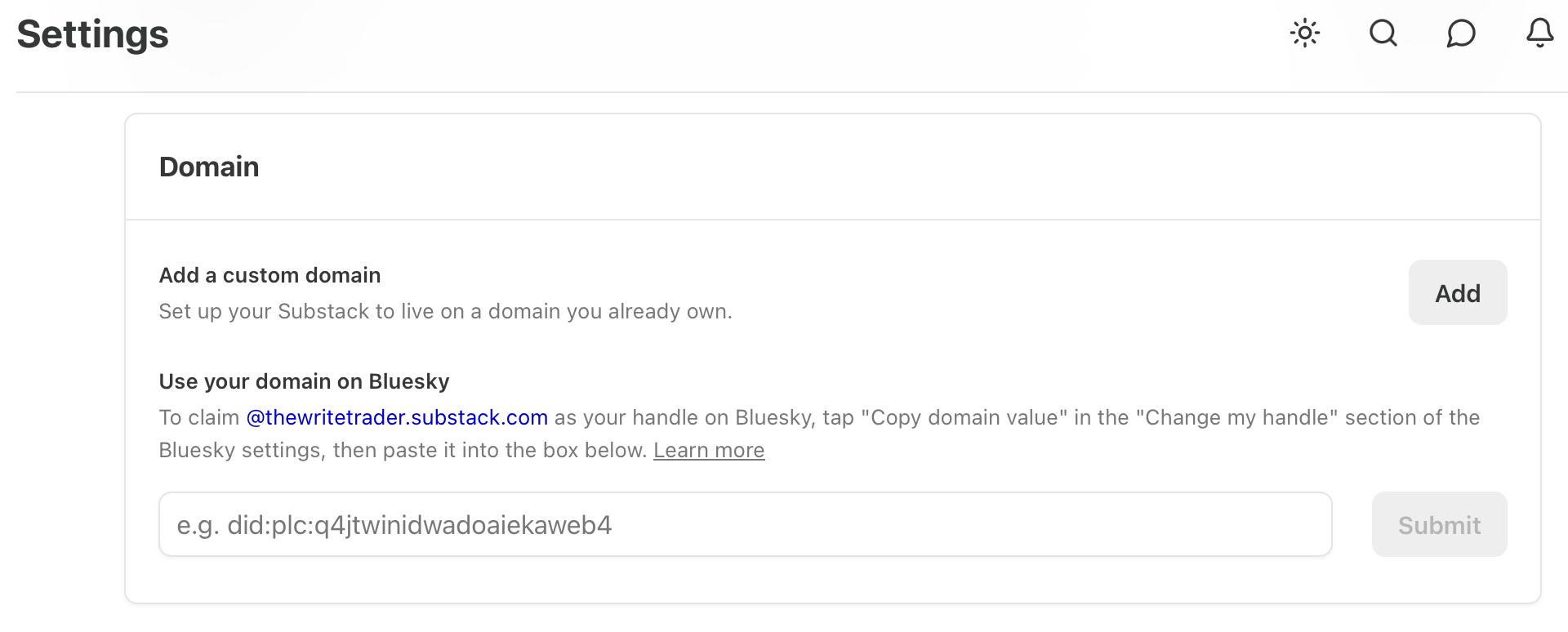
You’ll see an option to connect a custom domain.
Click on “Add.”
Add your payment info.
Substack charges a one-time fee of USD $50 to complete this operation.
Enter your new custom domain.
Step 3: Follow Substack’s DNS Instructions
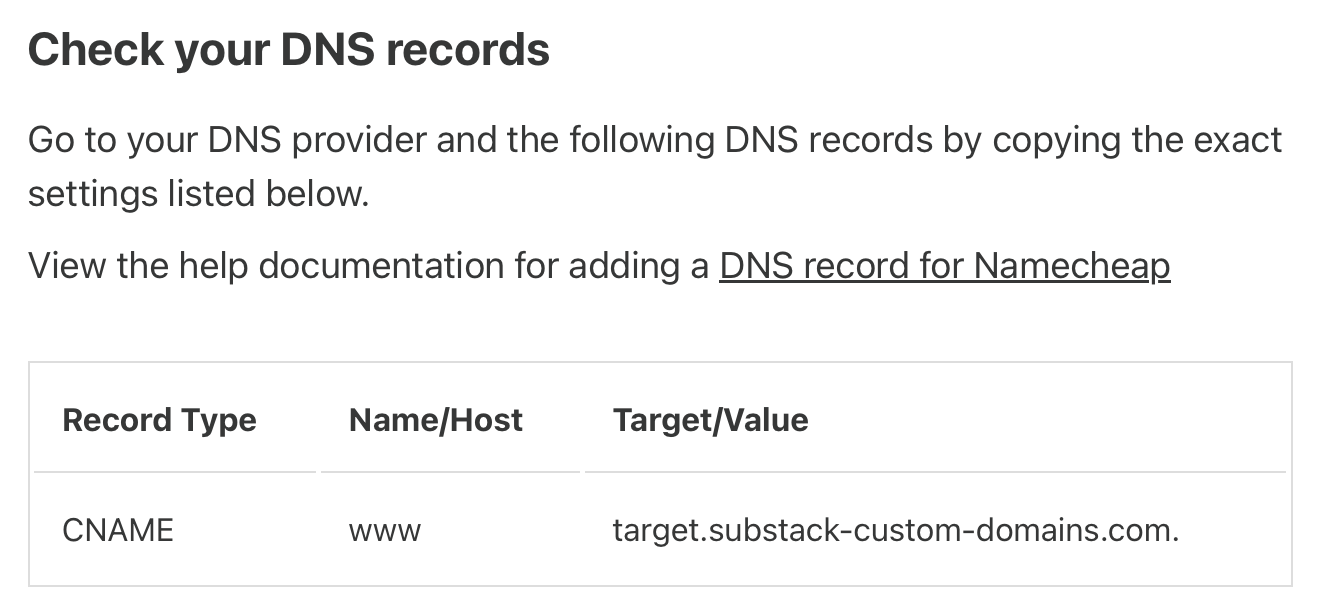
Substack will provide DNS records.
These records tell your domain provider where to send visitors.
→ You’ll copy the records from Substack and paste them into your domain registrar.
This sounds more technical than it actually is. For most people, it’s a five-to-ten-minute process.
Here is an example of the DNS record for Unstuck to Published in Namecheap:
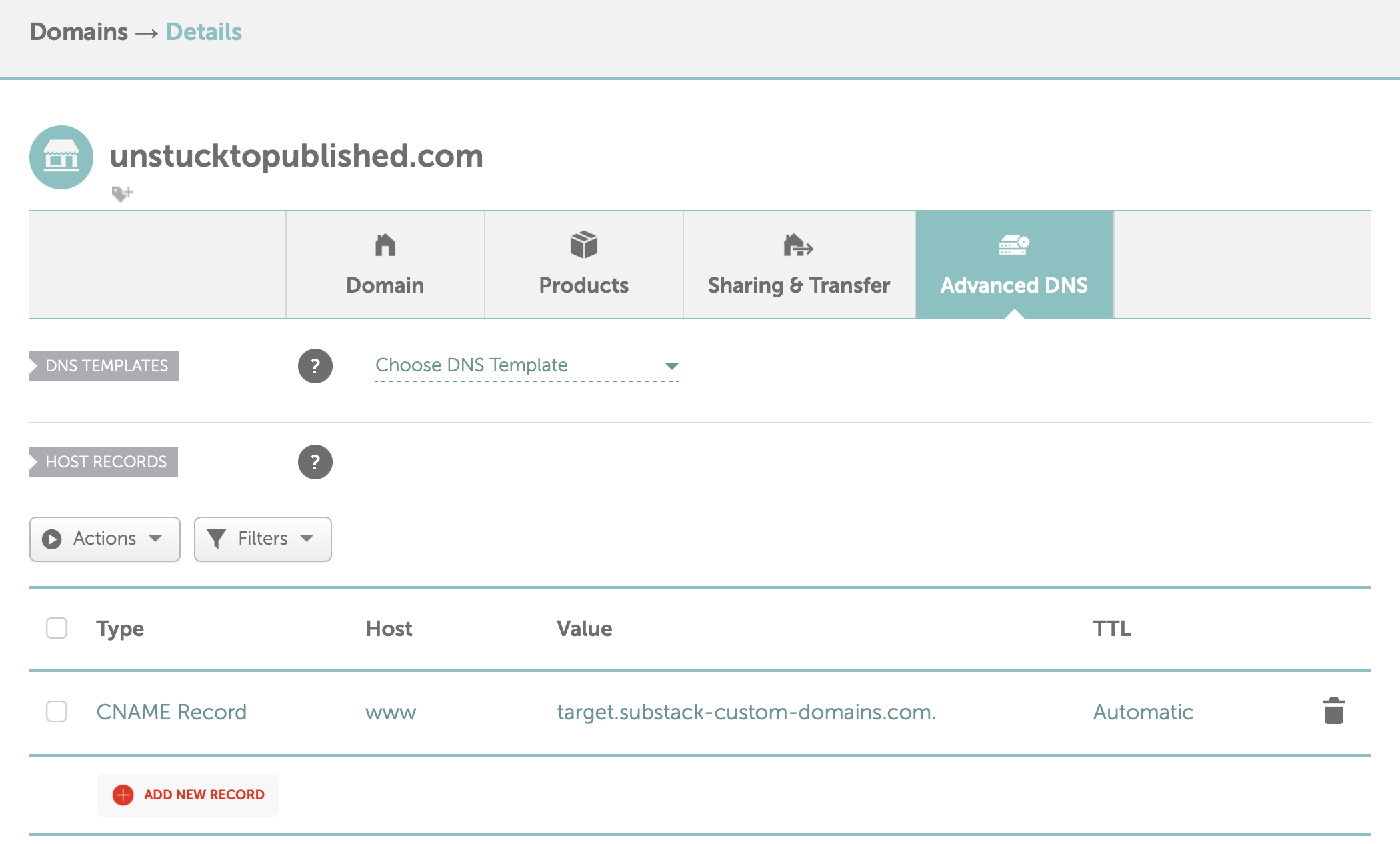
How to create a CNAME record for your domain in Namecheap click here
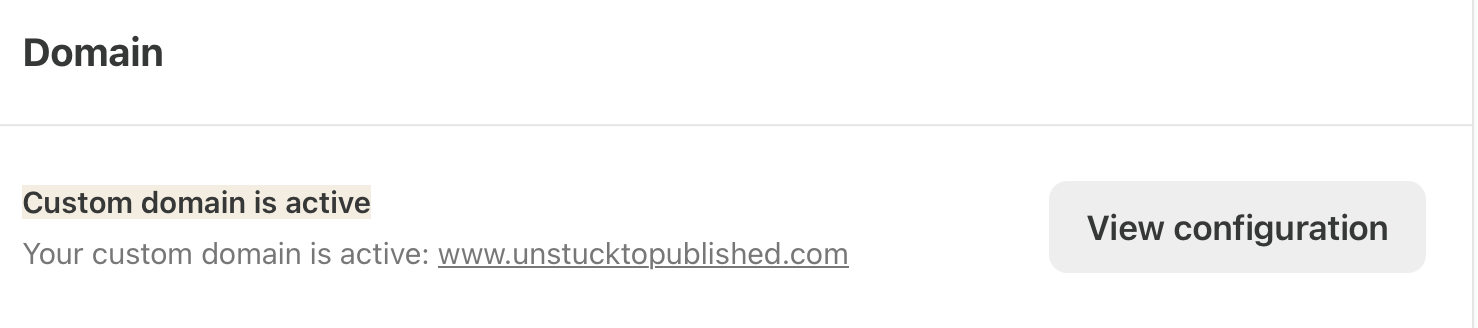
Step 4: Wait for Verification
Once connected, Substack will verify your domain.
You will receive an email from Substack that your custom domain was successfully connected.
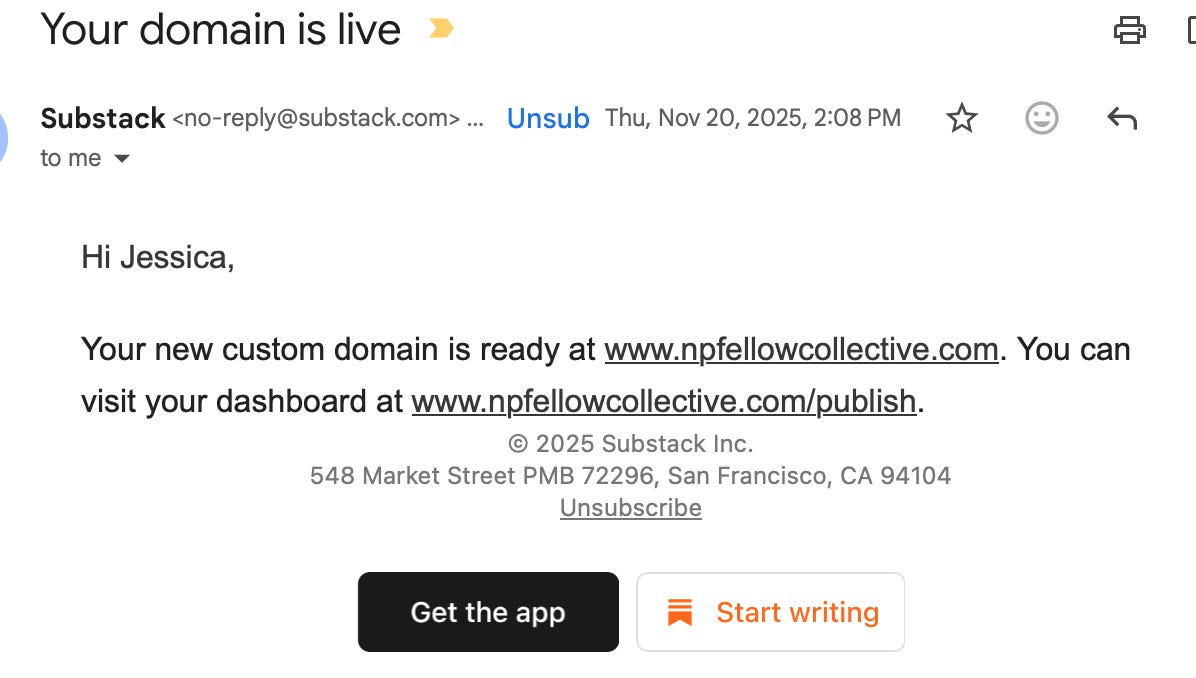
Sometimes this happens within minutes and sometimes it takes several hours.
Once your custom domain is linked to Substack, it can take up to 36 hours to fully configure. If it's been over 36 hours, there may be an issue in the configuration.
Once verification is complete, your publication will be available at your custom domain.
What Domain Should You Buy?
Keep it simple.
Good examples:
yourpublication.com
yourname.com
yourbrand.com
Avoid:
Long phrases
Unnecessary words
Complicated spellings
Multiple hyphens
→ A good domain should be easy to remember.
→ A great domain should be easy to repeat.
If someone hears it once in a conversation, on a podcast, or in a Note, they should know exactly how to type it.
That’s usually a sign you’ve chosen well.
My Recommendation
For most creators, the order should look like this:
Step 1:
Build the publication.
Step 2:
Publish consistently.
Step 3:
Validate the idea.
Step 4:
Upgrade to a custom domain when you’re ready.
Too many people reverse the process.
They spend weeks perfecting the packaging before they’ve proven the publication.
Don’t do that.
The domain isn’t the publication.
The publication is the publication.
The ideas.
The content.
The trust.
The relationship with your readers.
A custom domain can make those things look more professional.
It cannot create them.
Final Thoughts: If You’re Stuck Right Now
A custom domain is a strong branding move and for most creators, there’s very little downside.
But remember:
→ A custom domain won’t make an unclear publication clear.
→ It won’t fix weak positioning.
→ It won’t replace publishing.
If you have to choose between spending an hour publishing an article or spending an hour tweaking your branding, choose publishing.
Every time because readers subscribe to valuable publications.
Not DNS settings.
Build the foundation first.
Then improve the packaging.
That’s how you build your Substack the right way from day one.
If you’re building your Substack and want more clear, foundational breakdowns like this, subscribe and follow along.
Unstuck to Published exists to help you build correctly from day one, with structure.
Thank you so much for being here. I truly appreciate you.
— Jessica
Move first. Refine second. Publish with structure.
Book a 1:1 Session with Jess to build your publication together →
Build Your Publication With Me 1:1 Build Session

Turn your Substack from an idea into a live publication—in one focused build session.
Recent Articles👩🏻💻
What Investing Taught Me About Publishing

I used to think investing and publishing had nothing in common.
Jess - you always seem to write about exactly what I need or address the question in my head. I am saving this because I may eventually convert over to a custom domain (already have it at www.lifenursecoach.com). I was curious about how to do this, but your instructions here are easy to follow. Great work. Thanks!