


Last week, someone asked me a simple question:
“Can you explain the paywall to me on Substack?”
To me, it felt obvious, but that’s exactly why this article matters.
What feels obvious to someone who has built multiple publications is often unclear to someone starting their first.
So let’s walk through it clearly and directly.
No hype. No complexity. No fluff.
Just how it works.
What Is The Substack Paywall?
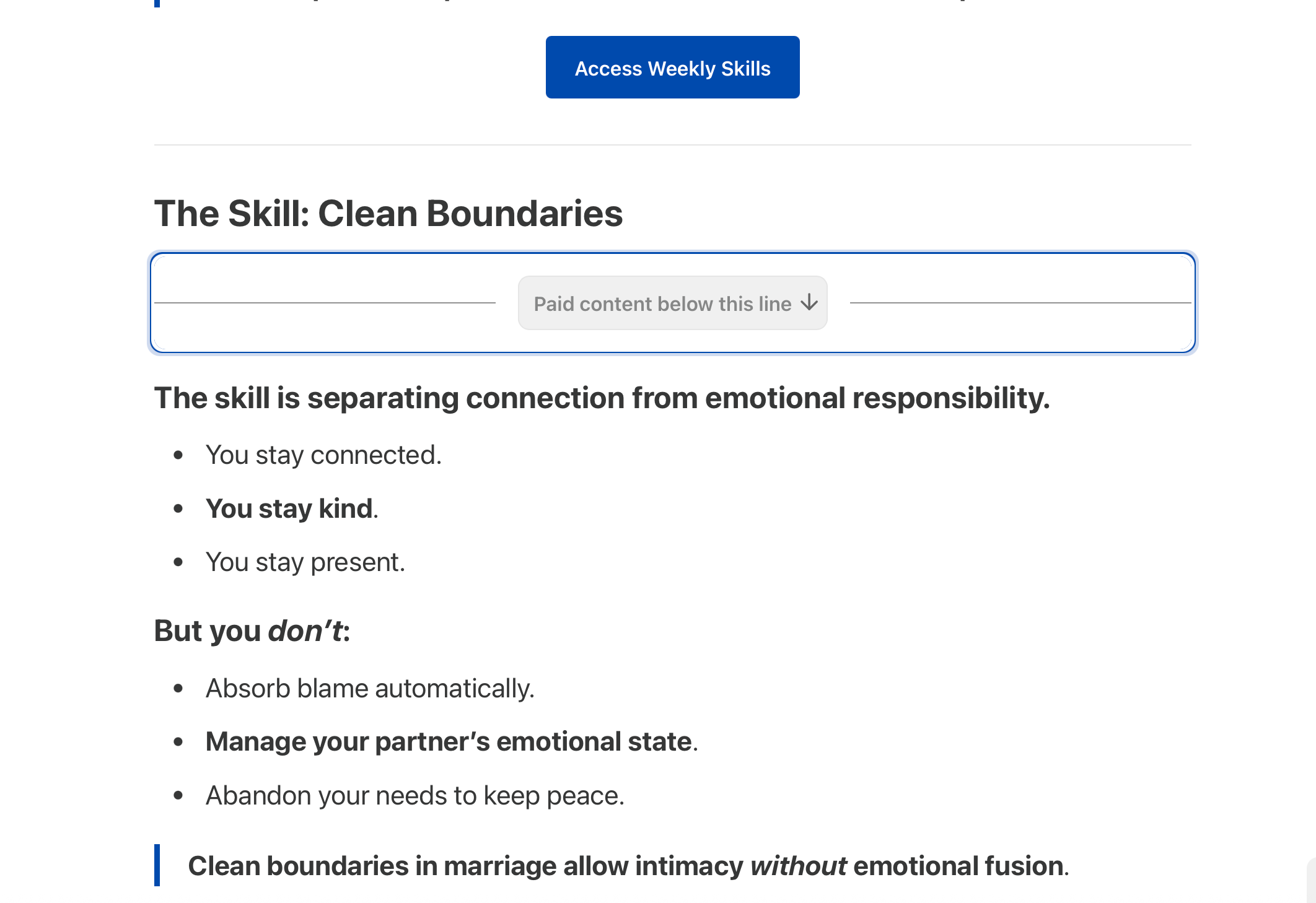
The paywall is a feature that allows you to restrict part (or all) of a post to paid subscribers.
Free subscribers can read up to the paywall.
Paid subscribers can read everything below it.
You choose where it goes.
It’s not automatic and it’s not random.
It’s manual and controlled by you.
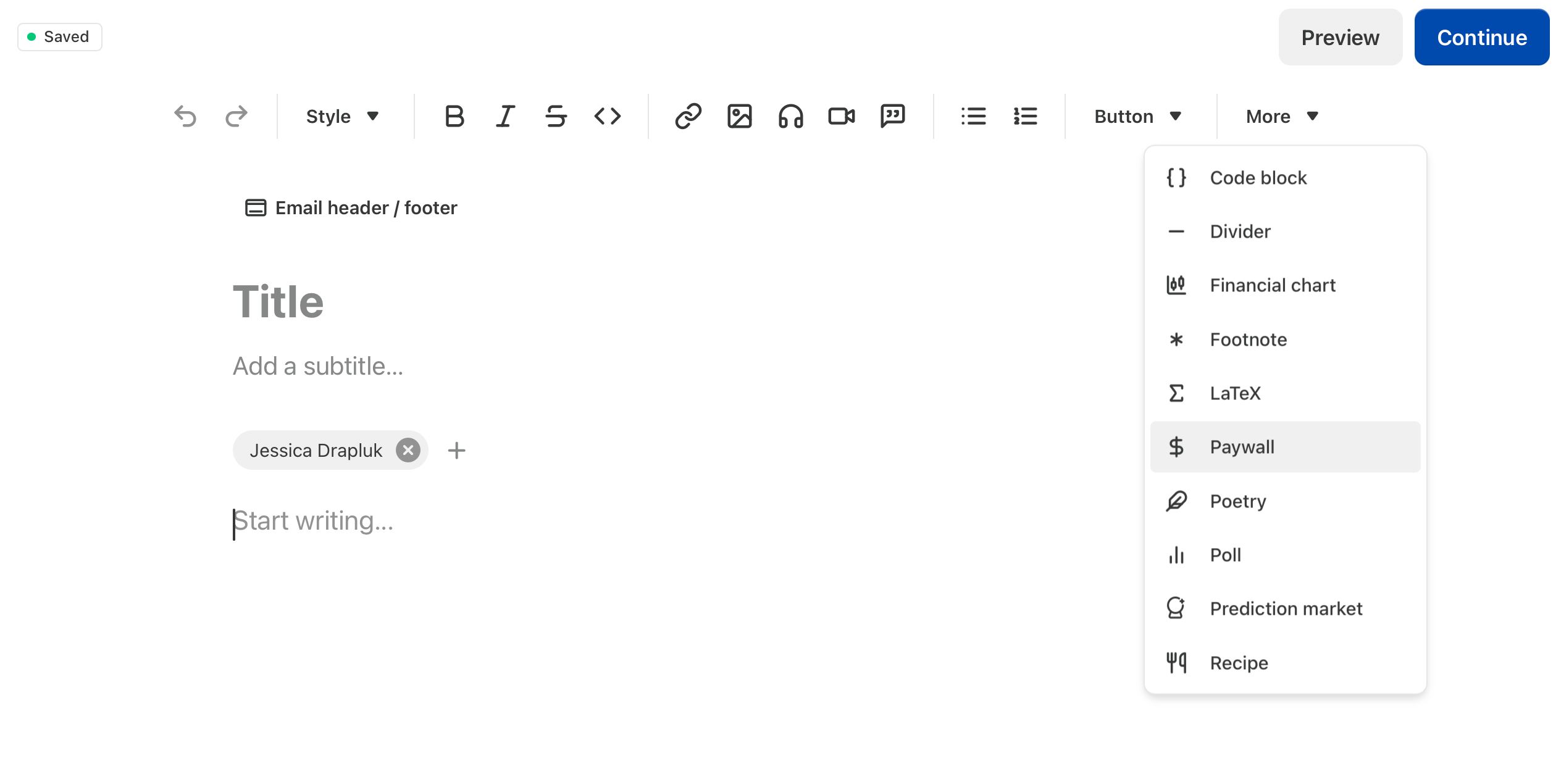
How To Insert A Paywall
Inside your post editor, you’ll see an option to insert a paywall block.
You place it wherever you want the free preview to end.
Everything above it is visible to everyone.
Everything below it is only visible to paid subscribers.
You can:
Put the paywall halfway through.
Put it near the bottom.
Lock the entire post.
Or not use one at all.
It’s flexible.
What The Paywall Is Not
It’s not:
A growth strategy.
A trick.
A pressure tactic.
It’s simply a structure.
It allows you to create two layers inside one publication:
Free content.
Paid content.
The clarity comes from how you use it. Paid content will be underneath the paywall you inserted and free content will be above it.
When Should You Use The Paywall?
Use it when:
You are offering deeper instruction.
You’re sharing premium frameworks.
You’re giving detailed walkthroughs.
You want to reward paid subscribers.
Don’t use it:
Just to “have one.”
Without clarity on what is premium.
Before your foundation is built.
The paywall is a tool. Not a shortcut.
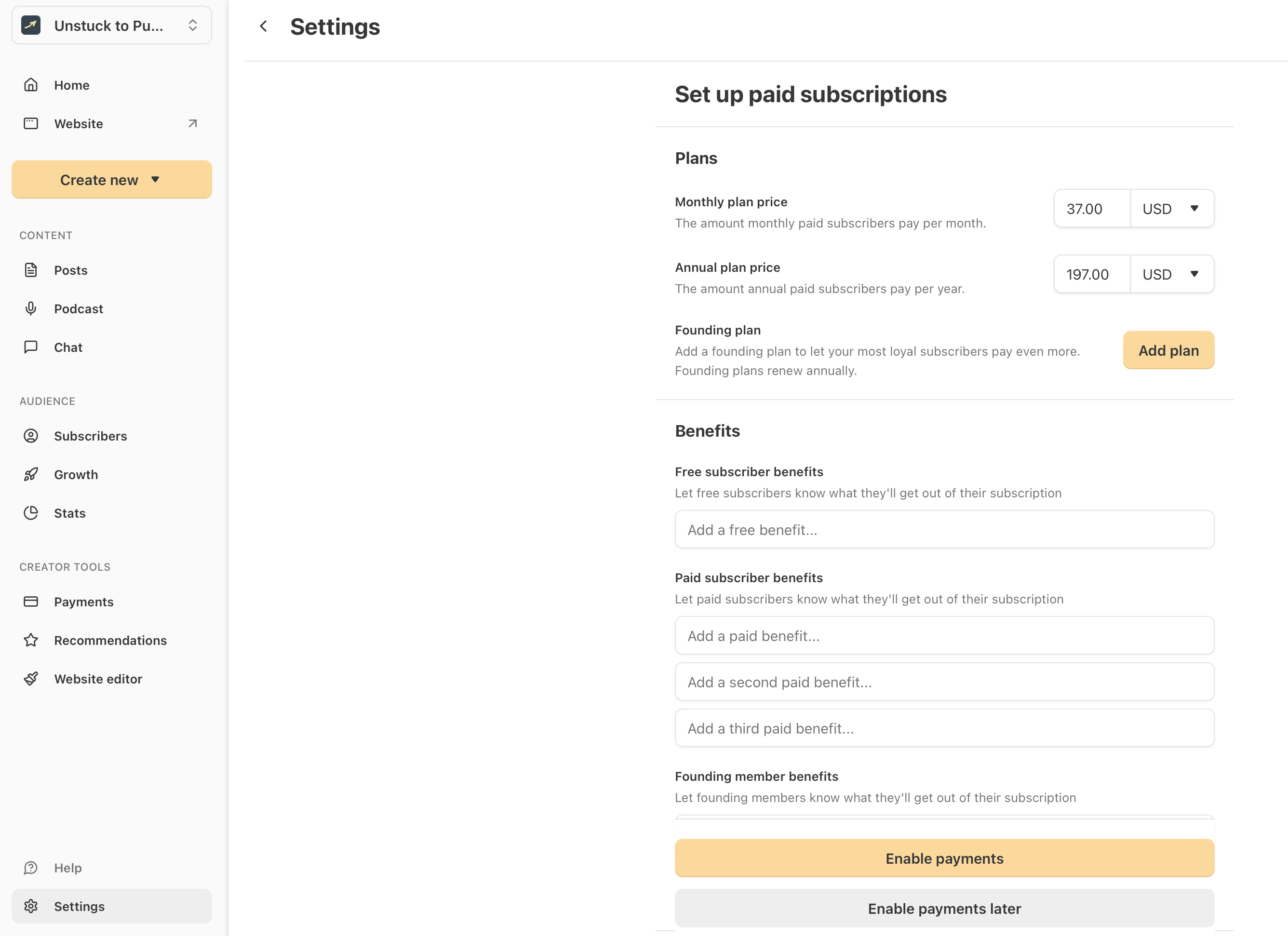
How To Enable Paid Subscriptions
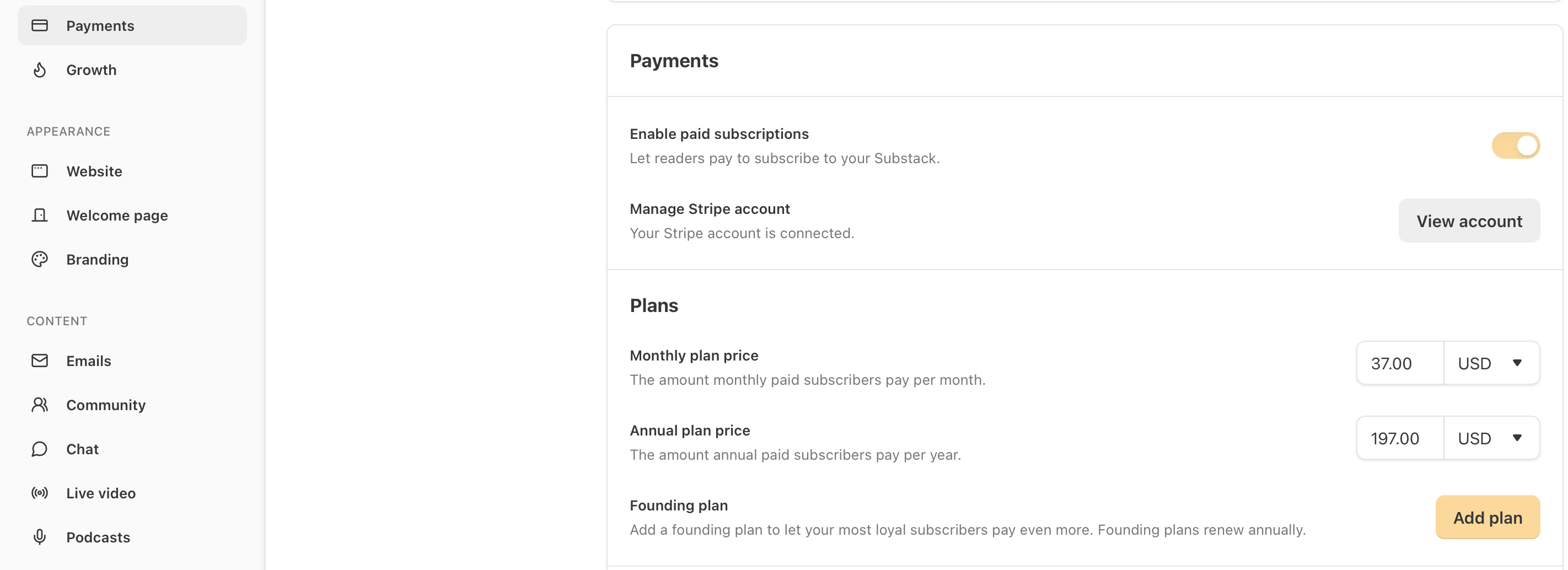
Go to Dashboard. Go to Settings. Go to Payments.
Set up your Stripe account.
Link Stripe account to substack publication.
Enable payments “now” or “later.”
Add free and paid “benefits.” This is basically your “subscription offer.”
Make sure the toggle for “enable paid subscriptions” is turned on like below.
The Simple Paywall Framework
If you’re unsure how to structure a post with a paywall, use this:
1. Context (Free Section)
Explain the problem clearly.
2. Insight (Free Section)
Share the main idea or lesson.
Above the inserted paywall.
3. Depth (Paid Section)
Deliver the step-by-step execution, framework, blueprint, or advanced breakdown.
Below the inserted paywall.
That’s it.
Context → Insight → Depth.
This keeps your free readers engaged and your paid readers supported.
Final Thoughts: If You’re Stuck Right Now
The paywall isn’t complicated, but clarity around it matters.
If you’re building your Substack correctly from day one, you should understand every structural tool you’re using.
The paywall is one of them.🤝
If you’re building your Substack and want more clear, foundational breakdowns like this, subscribe and follow along.
Unstuck to Published exists to help you build correctly from day one, with structure.
— Jessica
Move first. Refine second. Publish with structure.
A few really thoughtful questions came in under this post about when to turn on the paywall and how to actually get a Substack publication set up the right way.
One thing I’ve noticed is that a lot of creators aren’t stuck on writing.
They’re stuck at the very beginning: choosing the name, structuring the publication, setting up the paywall, and getting the first article ready.
Because of that, I’m hosting a small live working session this Friday called "From Unstuck to Published", where we build the publication step-by-step together.
If you're someone who has been meaning to start a Substack but hasn't actually launched yet, it may be helpful.
You can see the details here:
https://unstucktopublished.substack.com/p/build-your-substack-in-one-sessionfrom?utm_campaign=post-expanded-share&utm_medium=web
this was super helpful! thank you!