

Last week, someone asked me a simple question:
“What should I actually put on my About page?”
To me, it seemed obvious, but that’s exactly why this article matters.
It sounds basic, but if you get this wrong, everything going forward feels harder than it should because your About page isn’t just a page.
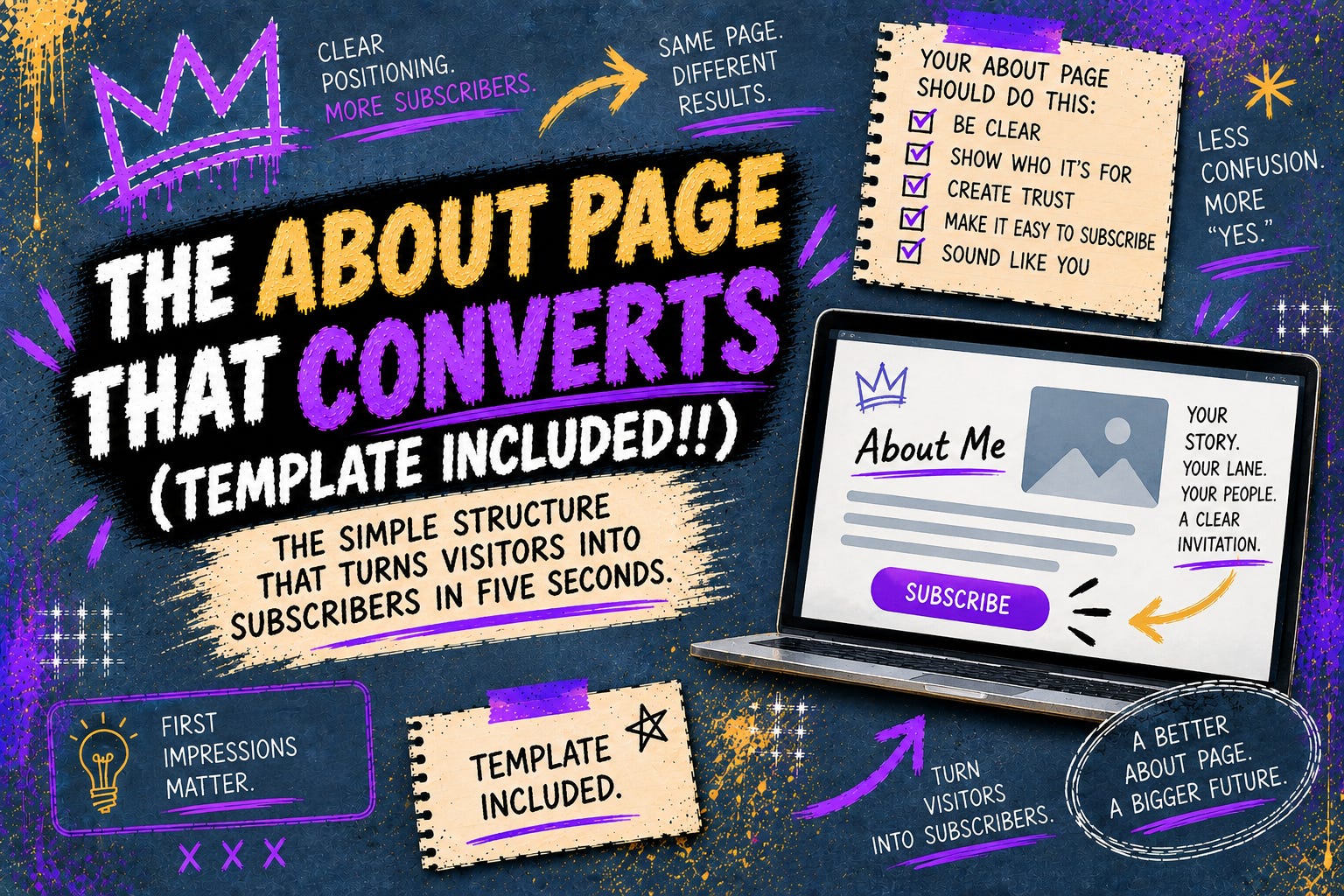
It’s a free sales page that should convince the reader why they should stay and get them to subscribe.
The About page’s job is to do one thing: Help someone decide if this is for them or not in 5 seconds.
If it doesn’t do that…They simply leave.
So let’s walk through it clearly and directly.
No hype. No complexity. No fluff.
Just how it get it done correctly.
What Is The Substack About Page?
Before we get into this any further, I just want to explain what the Substack About page is and how to locate it and edit it.
Your Substack’s About page is the About page for your publication; not you.
Again, the About page is for your publication.
Your Substack's About page is a place to tell new readers what you write about, who you are, and why they should subscribe in greater length than your publication’s one-line description.
It should clearly describe the benefits of subscribing to your publication.
The About page’s idea is to establish credibility and trust with your readers while showing off your writing voice, personality, and unique style.
The About page’s goal is to convert the readers who decided this for them to either a free or paid subscriber to your publication.
That’s it.
Where Can I Find & Edit My Substack About Page?
There are two different ways to access your About page.
The first way is through your publication Dashboard.
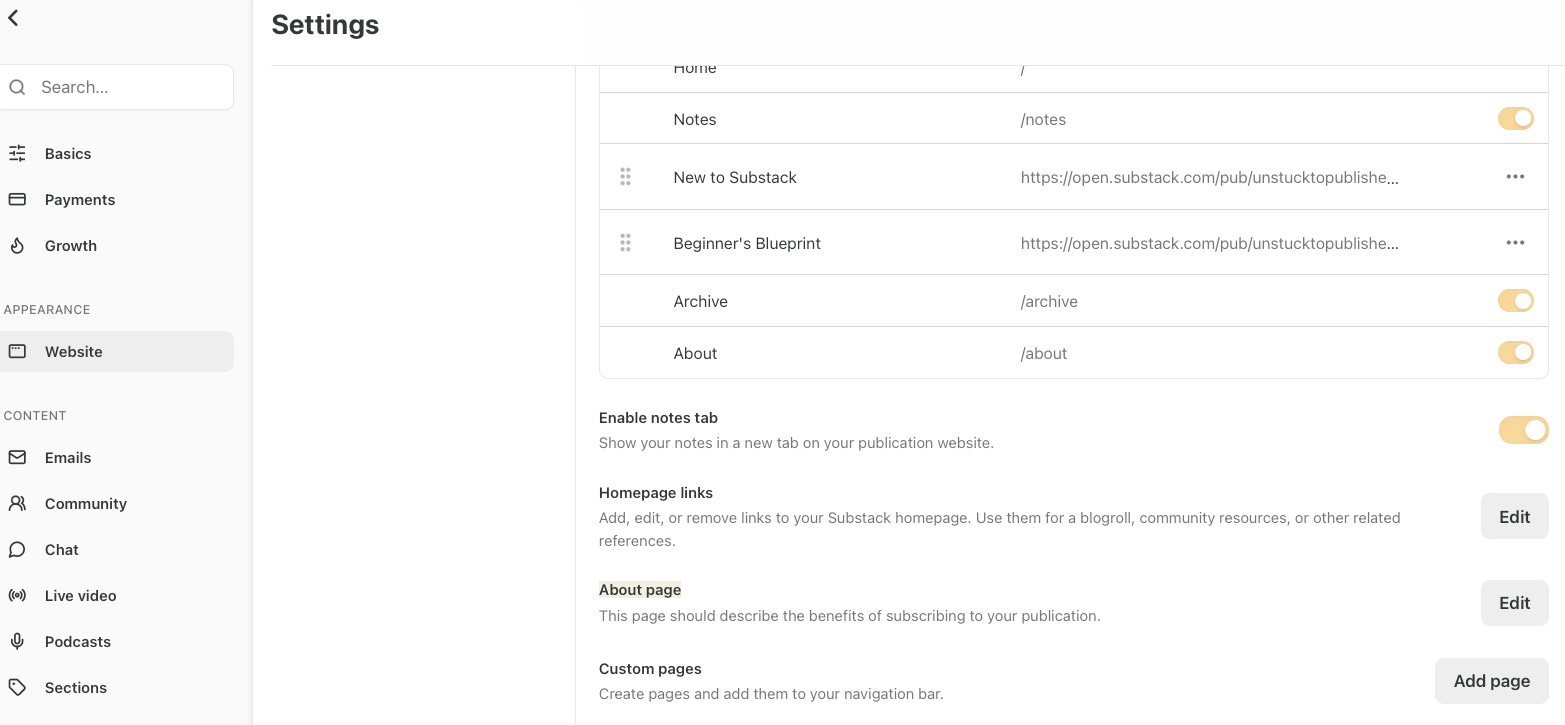
Go your publication “Dashboard”.
Inside Dashboard, scroll down on the left side to “Settings.”
Under Settings, look for “APPEARANCE” and click “Website.”
Under Website, look for “About Page” and click “Edit.”
Start editing your About page and remember to always press “Save” in the upper right corner when done.
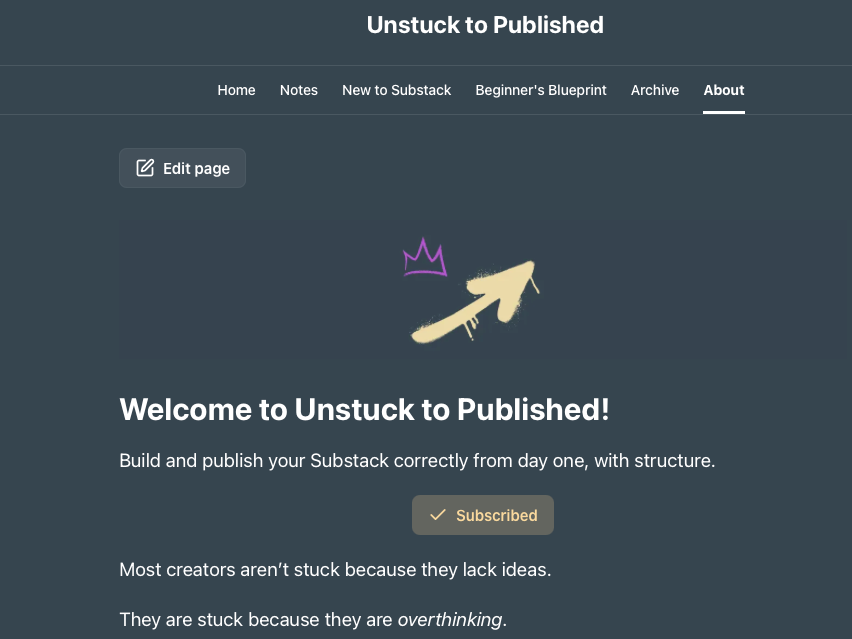
The second way to access your About Page is through the Home page of your publication Website.
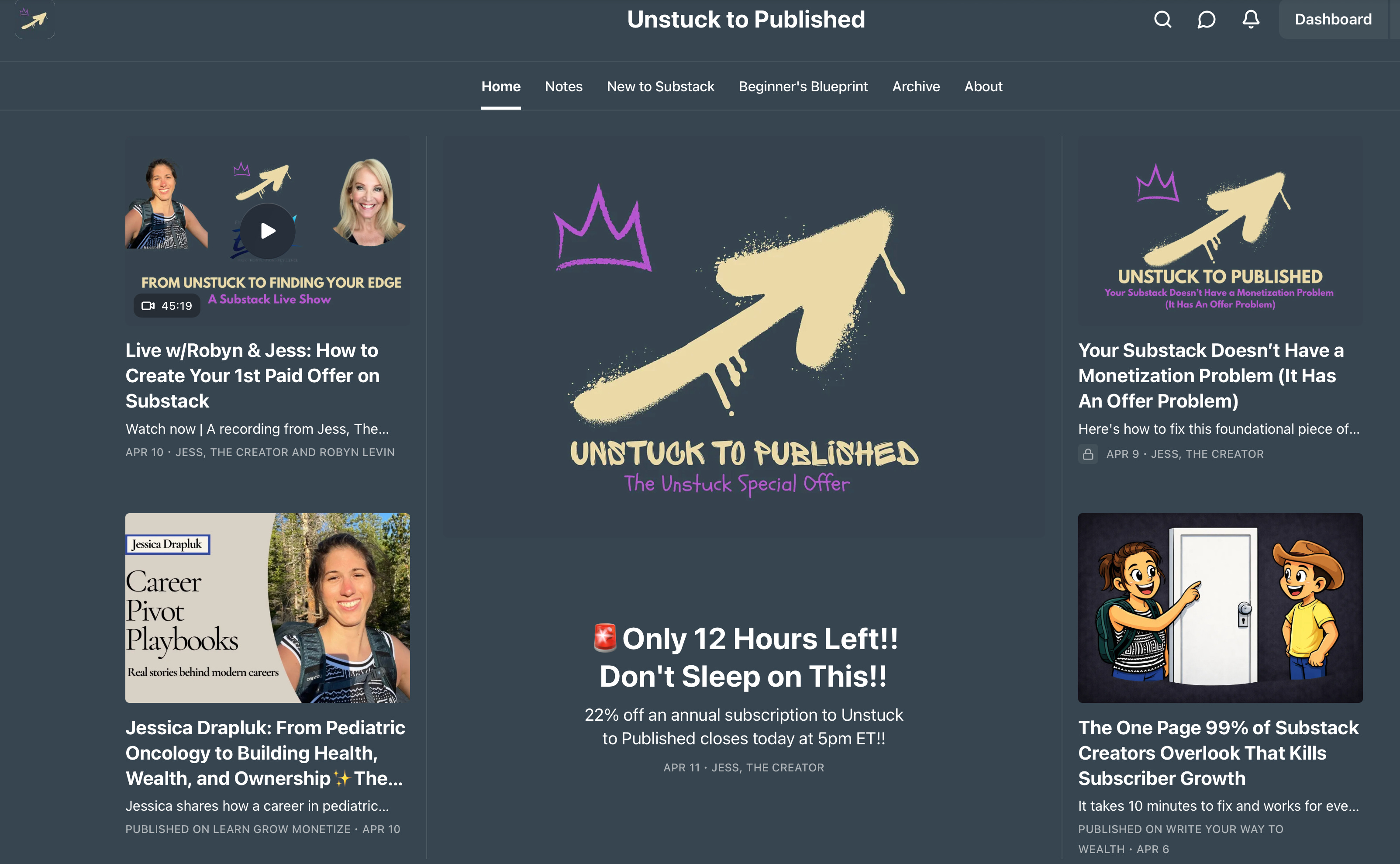
Go to the Home page of your publication website like in the screenshot above.
In your navigation bar, click “About” in the upper right corner.
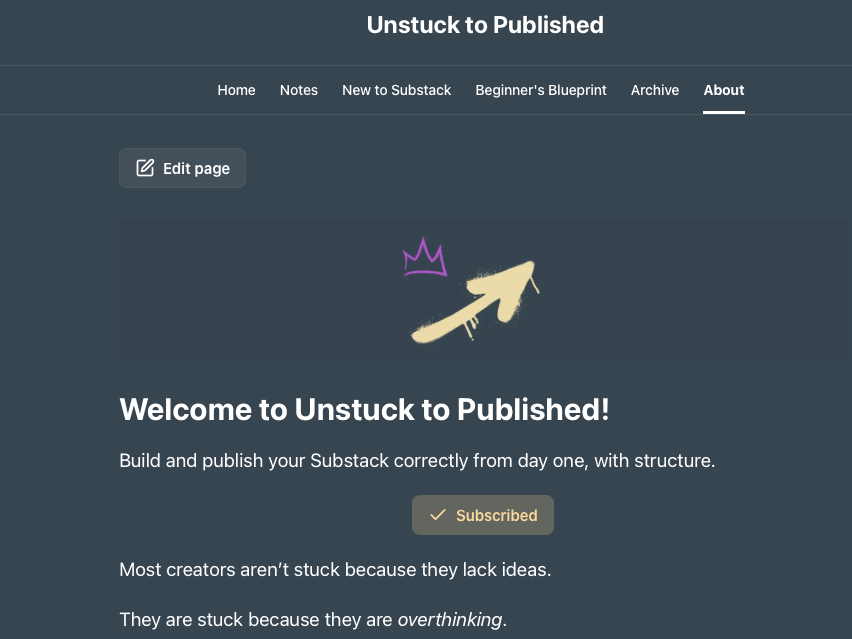
Once inside your About page, click “Edit page”.
Start editing your About page and remember to always press “Save” in the upper right corner when done.
A lot of people have expressed difficulty or confusion with navigating the Substack platform and the different hoops us creators and writers have to jump through to find certain things related to the publication.
I’ve been using Substack for almost 4 years now and I haven’t had any issues with it; however, I can see how some people do, especially new Substack writers and creators.
So, I’m here to help you in any way I can to make this simple and straightforward for you.
And, to hopefully provide you with a shortcut and some golden nuggets, I’ve picked up along my Substack writing journey.
So, for editing the About page, my favorite way is through the Home Page publication website; not through Dashboard, Settings, Website.
I literally just go to the publication website and click “About” in the navigation bar and click “Edit page.”
Even if I’m not editing the About page, the fastest way for me to access it, is through the Home page publication website.
The Mistake I Made For Years
When I first started on Substack in 2022, I didn’t understand this.
I thought my About page was:
A place to tell my story.
A place to talk about my career path.
A place to show all my credentials that I’ve earned.
A place to go in-depth explaining my mission and elaborating on my philosophy behind starting the publication.
So I wrote it like that, for years.
And rewrote it.
And rewrote it again.
Meanwhile, people were landing on my page……and leaving…..not because they weren’t interested, but because it wasn’t clear.
It seems so obvious in hindsight, but I was completely unaware and oblivious for almost two years. 2 YEARS!!
Thankfully, my About page is now up to par and I’m able to help you with yours.
So, now we’re going to start working on your About page.
Yes, right now!
By the end of today, YOU can be done with yours and have a solid, top-tier About page for you publication ready for conversions and sales!! (An About page that doesn't need to be fixed “later!!!”) That’s HUGE!!!
Be world-class; not average.
Don’t leave money on the table so nonchalantly already on day one of being on Substack. If you do that, “you can’t sit with us!!” <insert Gretchen Wiener’s voice here>
The Shift
Your About page isn’t a bio and it’s definitely not an autobiography.
It’s not your story and it’s not about you.
Let’s say read again, the About page isn’t about you; it’s about the publication.
Your About page is a conversion page.
More specifically: It’s a free sales page that turns visitors into subscribers—and subscribers into paid readers.
The About page is where the reader makes their decision to stay or leave.
Once I understood that, everything changed.
Real Quick, Just In Case You’re Wondering About You
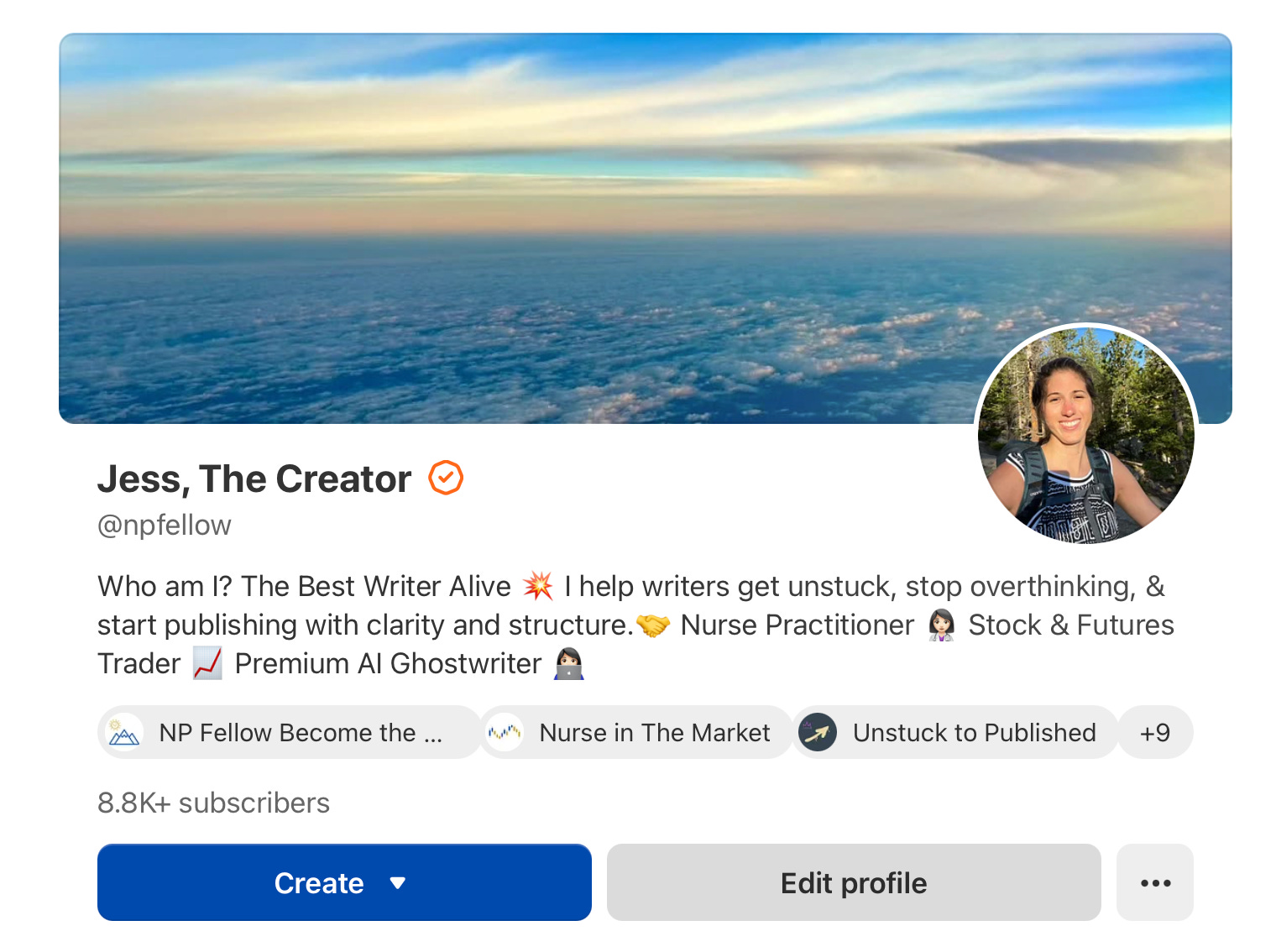
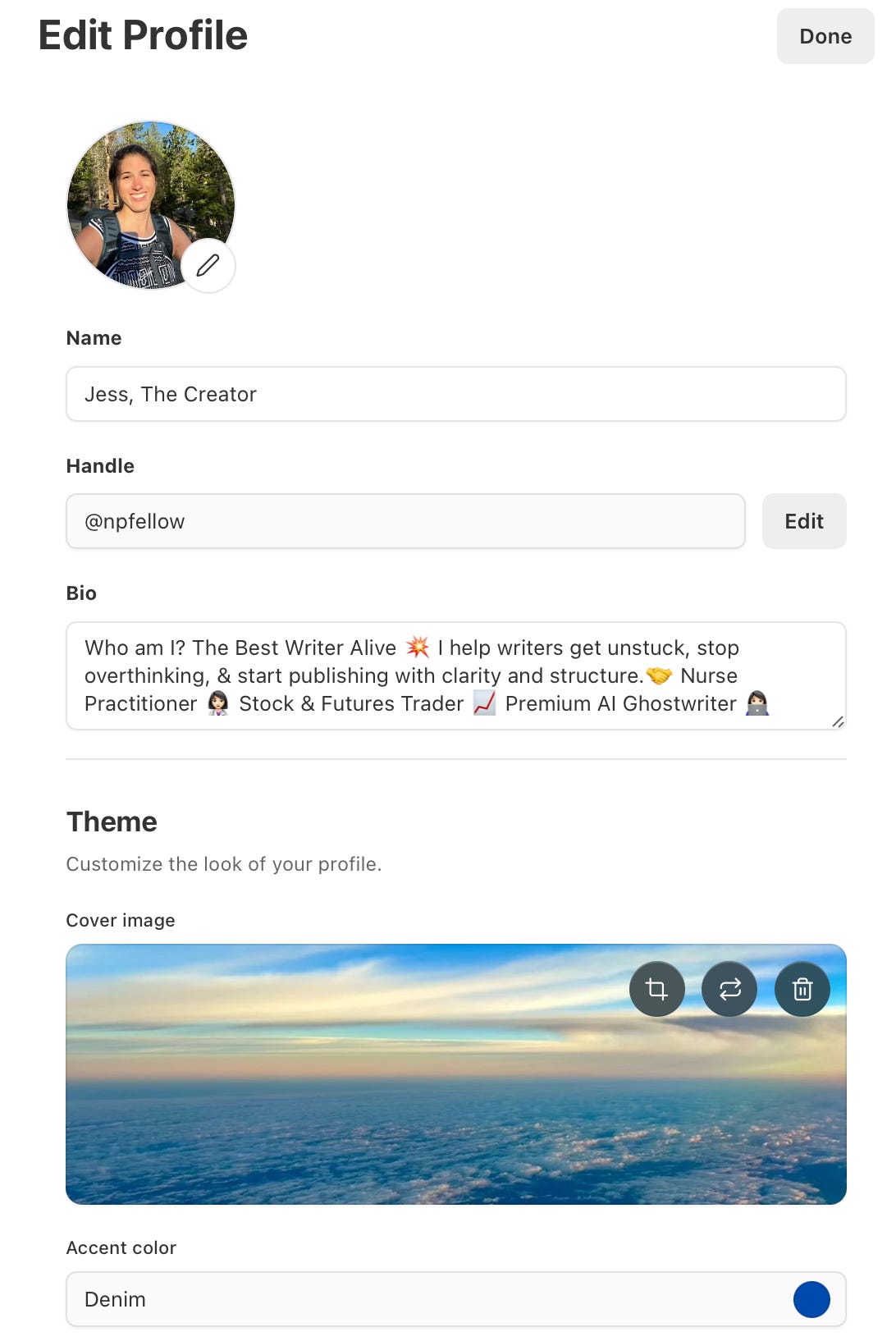
Your Profile Page Is About You!
Your profile page is where the reader can see your name, bio, profile picture, and your publications you’re part of.
To edit your “Profile page,” click “Edit profile” like see in the screenshot above.”
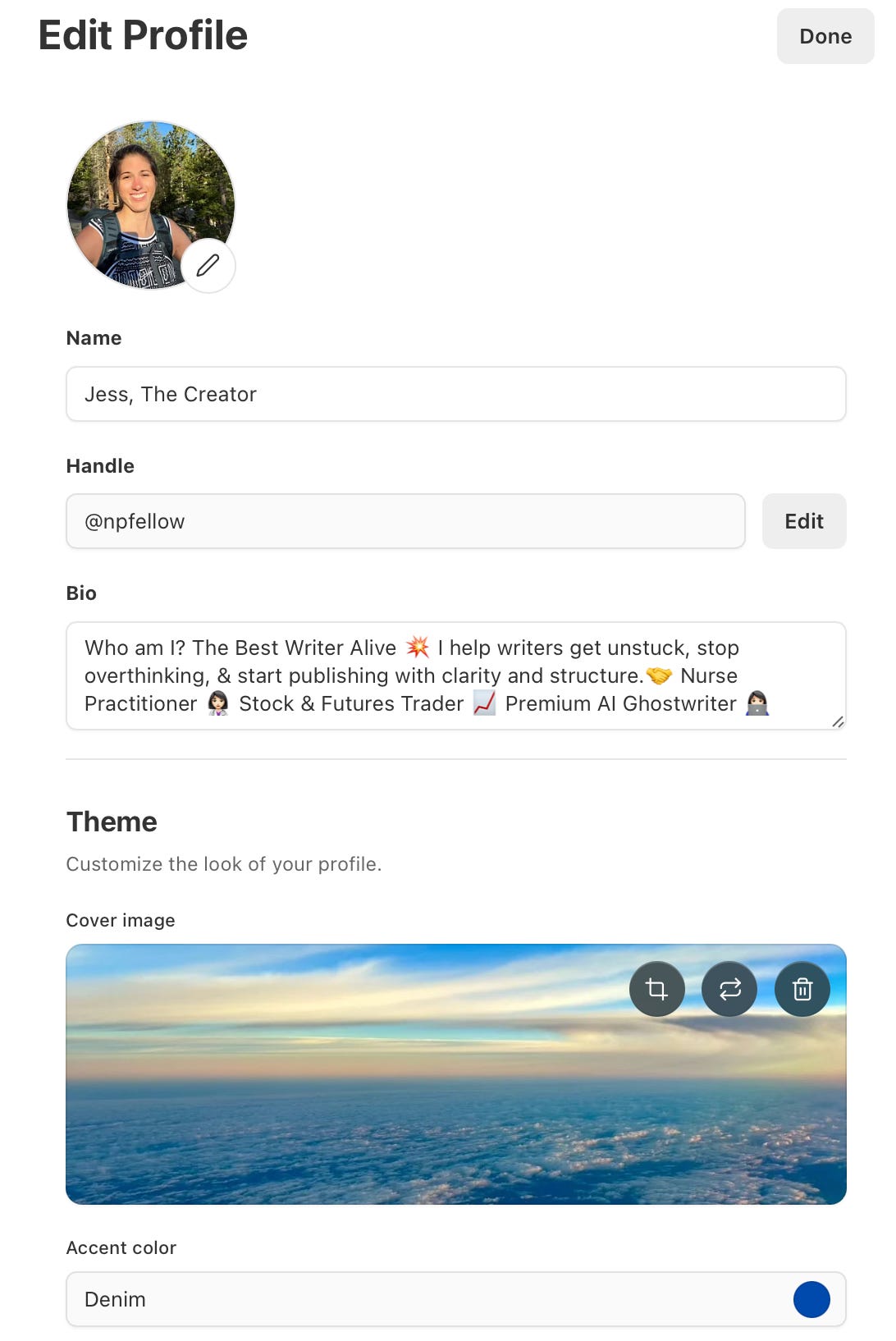
Once you click “Edit profile,” you can change your name, bio, cover image, and, accent color.
You can also add your “social links” and links to any Books or Website you have.
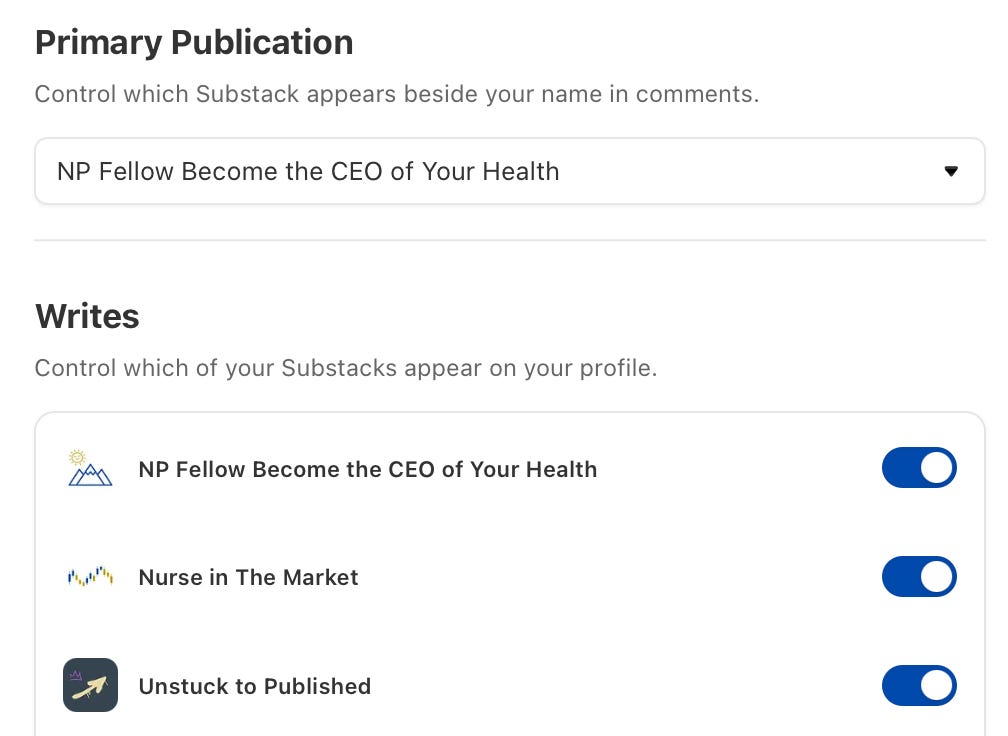
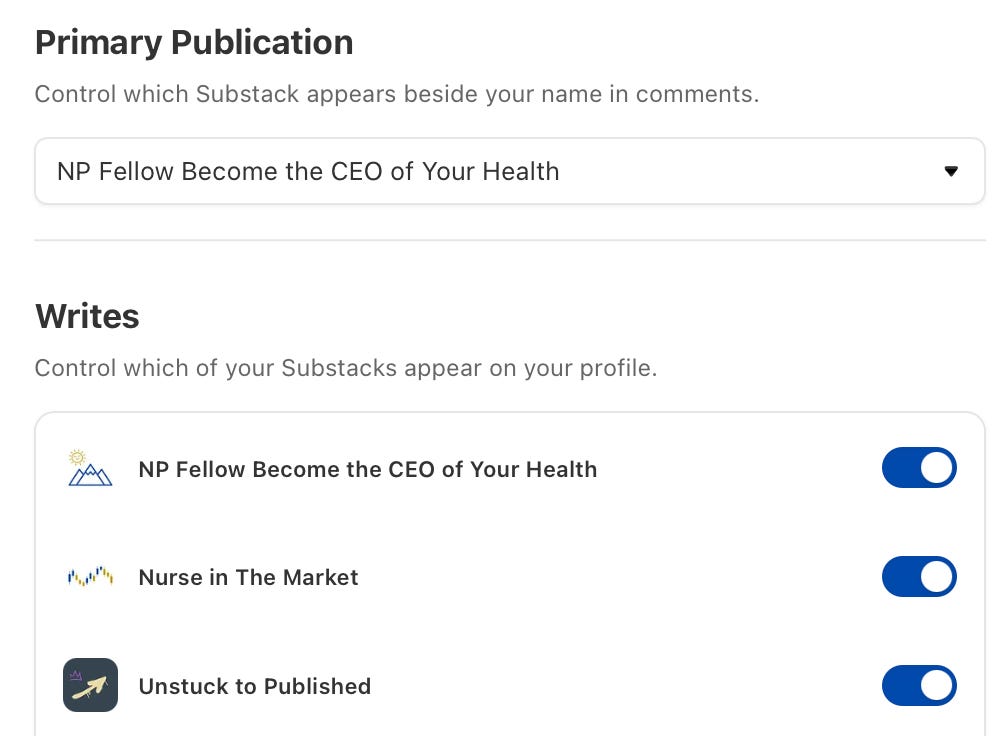
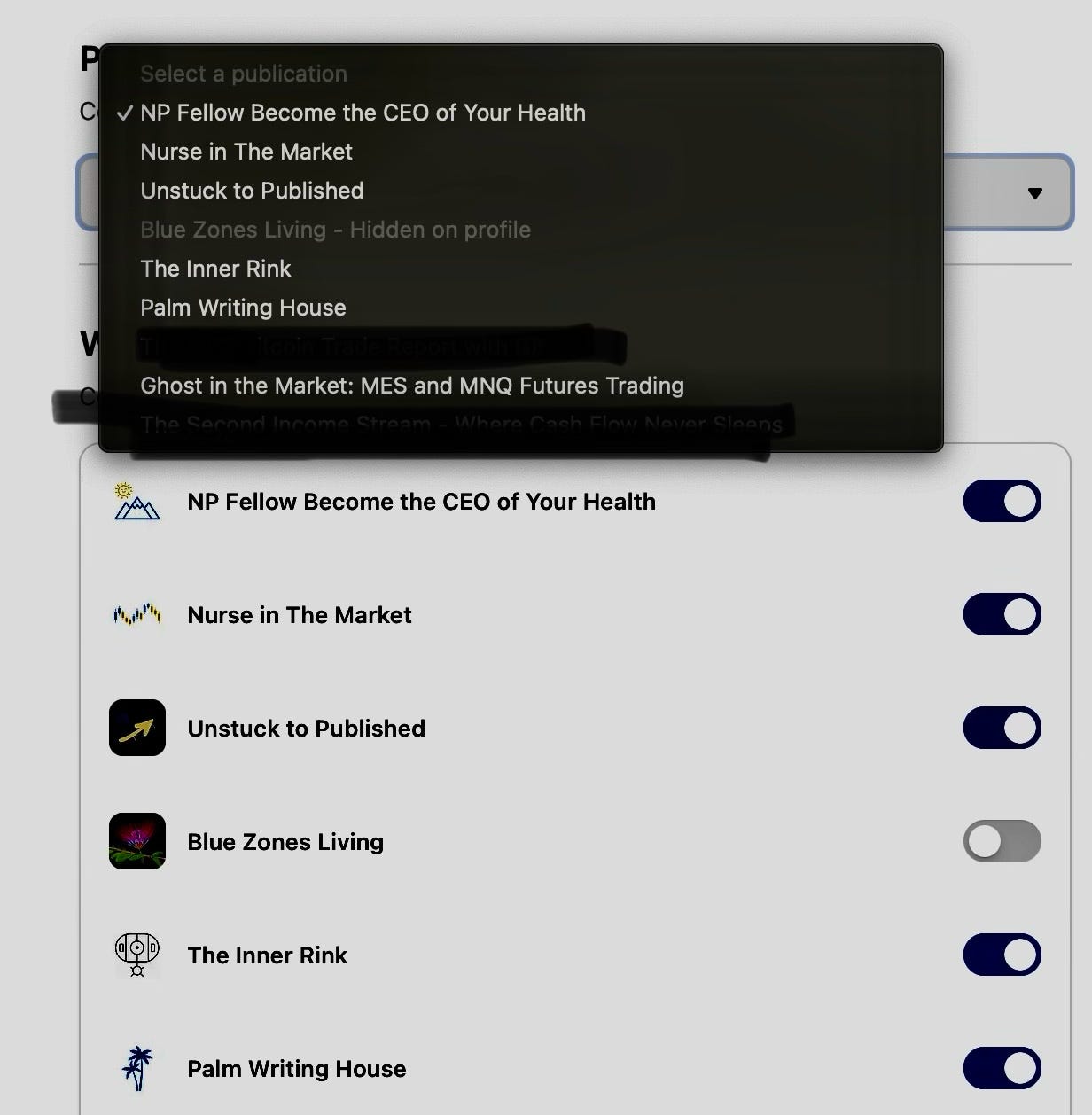
Also under “Edit profile,” if you own more than one publication, or ghost write for multiple clients, or work on multiple publications, you can choose which Substack appears beside your name in comments and which Substacks appear on your profile.
Now, let’s get back to the important stuff…the publication About page.
I can’t stress enough the importance of having your About page done and done correctly.
Get yours done, today!
And, let me know if you need help or want me to look at it after. Comment on this article or send me a DM once completed.
Again, the About page is one of the most crucial foundational parts of the publication along with even more important…the Welcome email to the free subscribers…which will be its own step-by-step article coming soon so stay tuned!
Remember, we’re world-class over here at Unstuck to Published. We do things right the first time and make it look pristine from day one. That’s our edge.💅
Now, let’s get back to your About page so you don’t have to have to fix it “later” like the average Substack writer will.
The Simple About Page Framework (This Is What Actually Works)
Most About pages follow this order:
❌ Me → My story → What I do
But the ones that convert follow this:
🤝Reader → Problem → Solution → Proof → Invitation
Let me show you exactly how this works using my own About page.
The Simple About Page Framework
1. Start With The Reader’s Problem
This is the most important part.
Not you; Them.
The reader wants to know what problem your publication solves for them.
From my About page:
“Most creators aren’t stuck because they lack ideas.
They are stuck because they’re overthinking.”
Immediately:
The reader feels seen.
The problem is named.
The challenge is described.
The reader knows if it’s for them or not.
2. Make The Pain Clear
You want the reader thinking: “That’s exactly me.”😅💡
From my About page:
“Substack writers and creators are stuck:
Overthinking the name.
Overthinking the niche.
Overthinking the tech.
Overthinking the timing.
Overthinking the audience size.”
The reader resonates with the exact pain.
This builds emotional connection fast and connection is exactly what converts a reader into a subscriber.
3. Position The Solution
Now answer: “What is this publication solving?”✍️
By positioning your publication as the solution, you make the benefit clear right away.
From my About page:
“Unstuck to Published exists to remove that friction.”
Simple. Clear. No confusion.
4. Show Who It’s For
Make it obvious, but also clear.
The more specific you define your audience, the better.
From my About page:
“New online creators who want to launch their Substack, but keep delaying.
Professionals who want to turn expertise into a publication that generates income.
Writers who want simplicity and structure, not fluff, on their path to becoming a Substack Best-Seller.
Builders who prefer immediate action and execution over endless planning and contemplation.
Anyone ready to move from thinking to publishing with clarity and confidence.”
Now the reader knows: “This is for me.”😌💡
5. Who Are You? / Why Should The Reader Trust You?
Now you can talk about yourself, but only to build credibility and trust and to show some proof.
Introduce yourself in a clear way that’s focused on your experience and relevant to the value of your publication.
Here’s where you can include 1-2 sentences about why you started the Substack publication or share your compelling origin story if you have one.
Find 2-3 pieces of specific proof related to the topic of your publication and relevant to the benefits for your audience.
Add testimonials from thrilled and gratified subscribers.
Feature any accomplishments you’ve made or awards you’ve won.
Show data related to your 30-day views, revenue, open rates, or subscribers count.
Share proof of your Substack milestones.
Include links to your most popular articles.
Providing results further increases emotional connection and shows the reader why you’re the one who can support them.
From my About page:
“I’m Jessica, a nurse practitioner turned stock and futures trader, Professional writer, and Substack multi-publication builder.
I have built and launched over 10 Substack publications, including 4 Substack Best-Sellers, and validated live offers in real time.
I don’t teach theory. I teach what I build.
Everything shared here comes from lived execution—launches, iterations, revenue validation, and real audience feedback.”
Don’t share your life story. Just proof and results to build trust.
6. Show The Outcome / Your Promise to The Reader (Why Should Someone Subscribe)
Focus on the reader’s transformation or final outcome and highlight the benefits of subscribing.
What exactly do they get?
Who will they become?
What can they expect to receive every week?
What feeling or transformation will they experience?
What type of access will they have to you?
What clear value are they receiving?
From About my page:
“Inside Unstuck to Published, you will learn how to:
Create your Substack with clarity and structure in one day.
Validate ideas before overbuilding or overthinking them.
Turn expertise into clear paid offers.
Avoid the decision-mode trap.
Build momentum through execution.
Become an owner of your pristine, world-class publication ready for posting and achieving Substack Best-Seller status.”
7. Make The Invitation / Call-to-Action Clear
Let the reader know what to do next with a direct, clear call-to-action.
From my About page:
“If you want to create your Substack from scratch from day one, subscribe or upgrade to join. I’d love to work with you on it.”
“If you’re serious about learning how to build a pristine Substack publication with a solid foundation that becomes an income-generating asset from day one, hit upgrade to join the Unstuck to Published Inner Circle of writers who are already miles ahead of the average new Substack creator.”
Simple. Clear. No pressure at all.
The 5-Second Test
If someone lands on your About page…
They should be able to answer instantly:
What is this publication? / What does it help me do?
Who is this for? / Who’s It Not For?
Why should I subscribe? / What do I get for subscribing or upgrading to paid?
If they can’t…they won’t subscribe.
The Shortcut
You don’t need to rewrite your About page over 10 times like I did.
You don’t need to guess.
You just need to remember this: Your About page isn’t about you.
It’s about the decision the reader is trying to make.
It’s about getting the reader to subscribe or upgrade to paid. That’s it.
If You’re Stuck Right Now
Most creators focus on writing more.
More content is never the answer.
When your About page isn’t clear…you’re losing people before they ever read your work. You’re simply hurting yourself by leaving money on the table.
Fix this once. Actually get it done, today!!
Get it done right and everything else becomes easier.
To help you get your About page done (today), I turned this into a simple, branded template you can use in 10 minutes.💅
👩🏻💻Download The About Page That Converts Template Below:

Thank you for being here. I truly appreciate you.
— Jessica
Move first. Refine second. Publish with structure.
To help you get your About page done (today), I turned this into a simple, branded template you can use in 10 minutes.💅
The About page is one of the most important foundational pieces of your publication, so this article is completely free for all Substack writers and creators to access. 🫶
This is such valuable advice Jess!